Help
RoTab opens in Simple view by default. The protein tile opens the detailed dashboard; the back arrow returns to Simple view. Appearance stores the preferred opening layout independently of the view open in another tab.
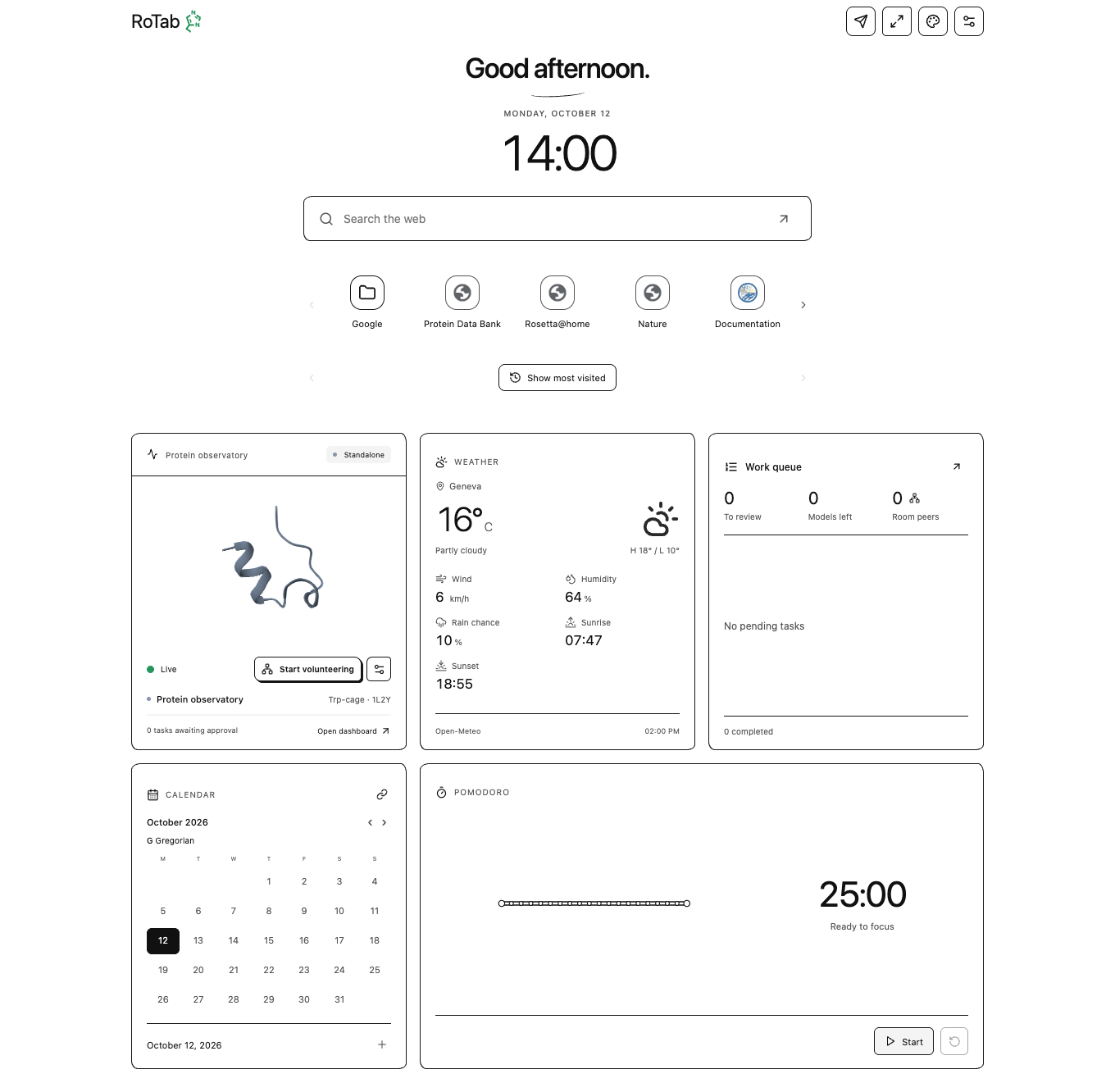
Find a control
| Action | Control or guide |
|---|---|
| Change theme, background, opening layout or search suggestions | Palette icon → Appearance |
| Add/remove favorites, folders or shortcut rows | Hover/focus the favorite bar → Shortcut controls |
| Change calendars, move/resize/hide a widget | Widget's upper controls → Personal widgets |
| Set focus duration or start a Pomodoro | Click the timer's digits → Focus timer |
| Start helping with research | Dashboard → Start volunteering |
| Submit a protein for volunteer calculation | Paper-plane icon → Submit a target |
| Rotate the molecule, inspect energy or run a local demo | Protein and calculations |
| Resolve a failed connection, missing result or memory error | Troubleshooting |
| Set up a managed TURN relay for different networks | Connect across networks |
OK closes a menu or confirms its form. Many settings apply immediately; Calendar settings apply on confirmation. Escape or X dismisses the menu. Submitting a scientific job, pausing new assignments and stopping an active calculation each use separate controls.
Status indicator
| Histidine color | Meaning |
|---|---|
| Green | Network connection is live; no model is currently computing |
| Pulsing green | Research/volunteer computation is active |
| Yellow | Local benchmark or demo is active |
| Gray | Idle without a live network connection |
| Red | An error needs attention |
The computing tab's favicon uses these states; linked tabs keep a neutral Histidine outline. The Histidine beside RoTab shows the shared status in either view. Reduced motion disables the pulsing effect. A linked tab offers Go to main tab for owner-only settings. Opening additional RoTabs in the same profile does not create extra independent volunteers.
Illustrations
Screenshots use isolated browser profiles, the bundled Trp-cage reference, example weather, and controlled network fixtures. They illustrate controls and do not represent a public research campaign or establish reachability between different networks.
Data and privacy describes recipients and local storage. Architecture explains the implementation.
Open Help from RoTab
RoTab 0.5.6 provides Help, Privacy and Support links in Appearance and Settings. The dashboard sidebar also provides Help and documentation. These links open this website in a separate browser tab; the website does not supply executable code to the extension.